
“We already log our AI use.”
That’s not what protects you.
A log is a note you wrote to yourself. It’s not proof anyone can trust, and it’s not what regulators or worried clients are actually asking for.
Spreadsheet / generic software logging
- Can be edited or deleted later
- Only your word it’s accurate
- Not built for any specific law
Art50
- Locked the moment it’s saved
- Can verify it independently
- Built around Article 50 of the EU AI Act, not retrofitted
A log you can edit isn’t evidence
If a spreadsheet or a note can be quietly changed or deleted, nobody can trust it, including you, six months later when someone actually asks.
“We checked it” isn’t the same as proving you checked it
Saying a human reviewed something means nothing without a record of who, when, and what they actually looked at, one that existed at the time, not one written after the fact.
Art50 locks every entry the moment it’s saved
Once logged, an entry can’t be quietly edited or removed by anyone, not your team, not us. Mistakes get fixed with a linked correction, and the original stays visible. That’s what makes it proof instead of a diary.
Anyone can check it, without trusting us
Every entry is confidential, but independently verifiable, so a client, a regulator, or a lawyer can confirm the record hasn’t been touched, without taking your word for it.
The moment you need it is the worst moment to be unsure
When a client, journalist, or regulator asks for proof of human review, “it’s in a spreadsheet somewhere” is not an answer that holds up.
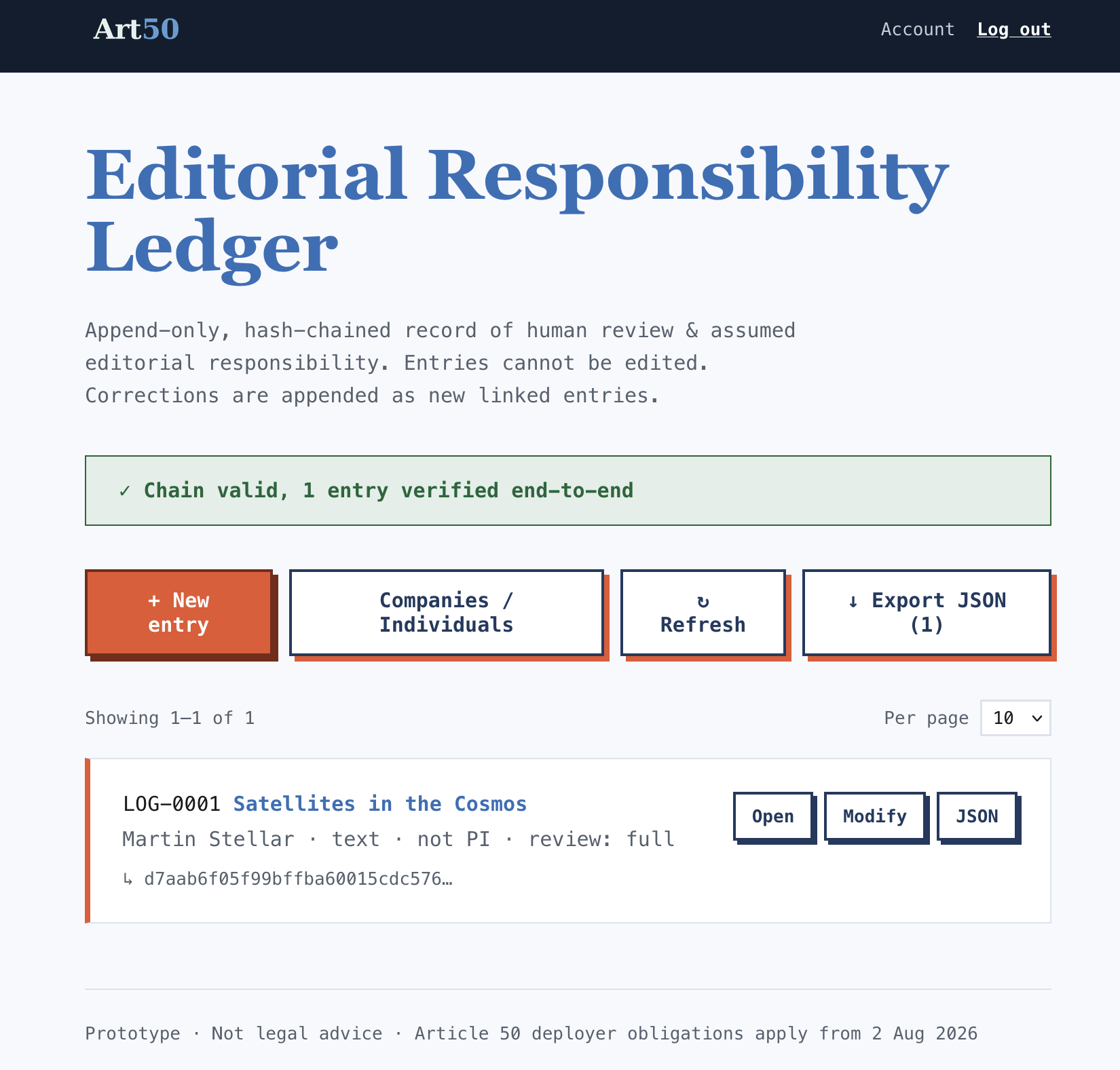
Every review, sealed, in one place
Ready to use something that actually holds up?
Get started →